Overview
Working from home offers flexibility, but without clear boundaries, it can blur the lines between work and personal life. Setting up a productive home office, using ergonomic tools, and establishing routines are key to success. This guide shares Best Practices for Work-from-Home Boundaries to help you thrive.
Why Work-from-Home Boundaries Matter
When your home doubles as your workplace, it’s easy to feel like you’re always “on.” Without boundaries, you might work late into the night or struggle to focus due to distractions. Clear boundaries protect your mental health, boost productivity, and create space for personal life. Research from Stanford University shows remote workers can be 13% more productive with proper setups, but only if they manage distractions effectively.
Creating boundaries starts with defining your workspace and schedule. It’s not just about physical space—it’s about mental separation. I’ve worked remotely for years, and I’ve learned that small changes, like shutting down my laptop at a set time, make a big difference. Let’s explore how to set up your home office and routines for success.
Setting Up Your Home Office for Productivity
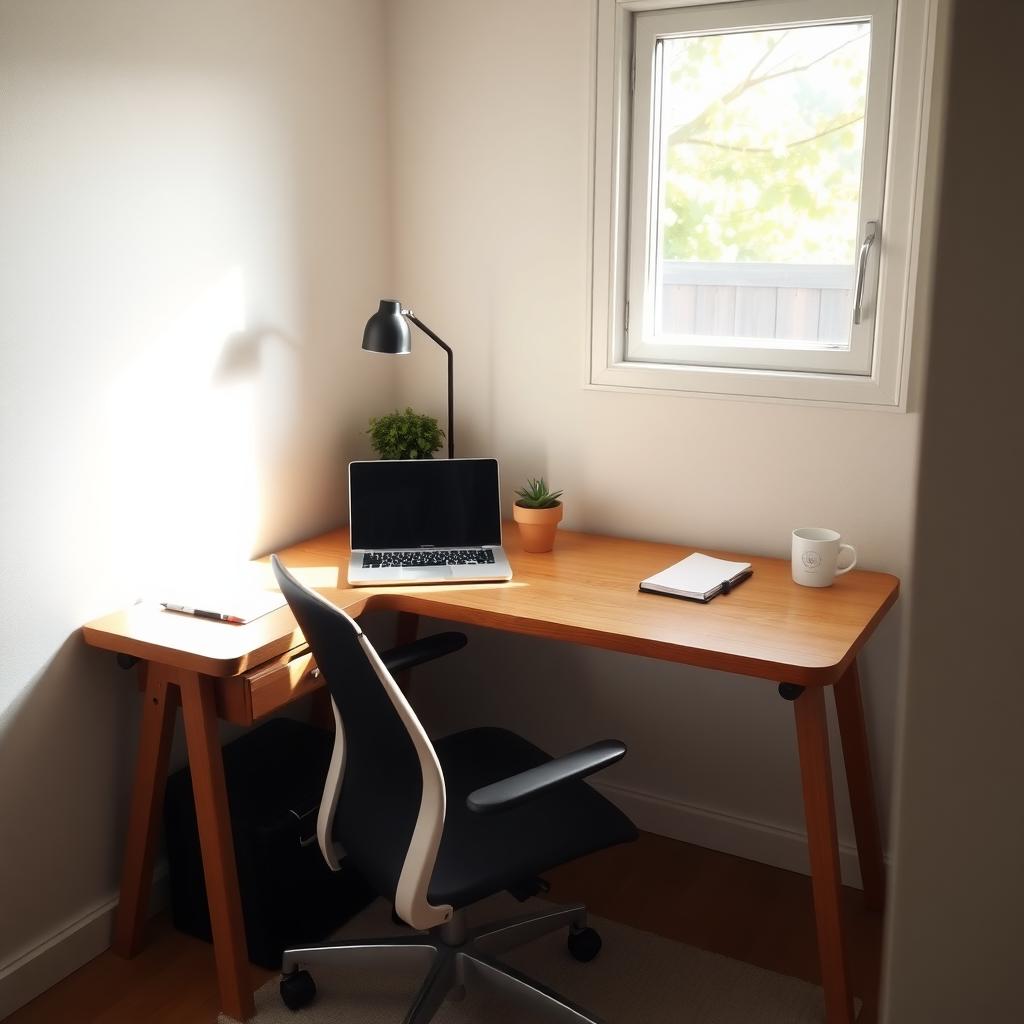
Your workspace sets the tone for your workday. A dedicated area signals to your brain that it’s time to focus. It doesn’t need to be a full room—a corner of your living space works if it’s intentional. Here’s how to optimize your setup:
- Choose a quiet spot: Pick a low-traffic area away from household noise.
- Invest in a good chair and desk: Comfort is key for long hours.
- Keep it tidy: A clutter-free desk reduces mental overload.
- Add personal touches: A plant or photo can make the space inviting.
I learned this the hard way when I tried working from my couch. My back ached, and I couldn’t focus. Moving to a proper desk changed everything.
Maximizing Productivity with Ergonomic Tools
Ergonomic tools aren’t just for comfort—they prevent strain and keep you focused. Sitting for hours can lead to wrist pain or back issues, which hurt productivity. According to the Occupational Safety and Health Administration (OSHA), proper ergonomics reduces workplace injuries by up to 60%. Here’s what to prioritize:
| Tool | Benefit | Recommendation |
|---|---|---|
| Ergonomic Chair | Supports spine alignment | Adjustable lumbar support |
| Standing Desk | Reduces sitting fatigue | Height-adjustable models |
| Keyboard Tray | Keeps wrists neutral | Slide-out tray with padding |
I switched to a standing desk last year, and it’s been a game-changer. I alternate between sitting and standing, which keeps me energized.
Ergonomic Hand Tools for Reduced Strain
For tasks requiring manual work—like crafting, repairs, or even note-taking—ergonomic hand tools for reduced strain are essential. Poorly designed tools can cause wrist pain or fatigue. Look for hand tools with these features:
- Soft-grip handles: Reduce pressure on your palms.
- Lightweight materials: Prevent muscle strain.
- Angled designs: Align with natural wrist movements.
For example, I use an ergonomic pen with a cushioned grip for jotting notes during calls. It’s small, but it prevents hand cramps during long meetings. The American Physical Therapy Association emphasizes that proper tools can reduce repetitive strain injuries by 30%.

Creating a Work-from-Home Routine
A consistent routine reinforces boundaries. Without a commute, it’s tempting to roll out of bed and start working, but that can lead to burnout. Here’s a sample routine that’s worked for me:
- Morning ritual: Start with coffee, a walk, or stretching to wake up.
- Set work hours: Stick to a 9-5 or whatever suits your peak productivity.
- Take breaks: Step away for 5-10 minutes every hour to recharge.
- End-of-day shutdown: Close your laptop and tidy your desk to signal “work’s over.”
I used to skip breaks, thinking I’d get more done. Instead, I felt drained. Now, I set a timer for a 10-minute walk every few hours, and I’m sharper for it.
Communicating Boundaries to Others
Living with others? Set expectations early. Let family or roommates know your work hours and when you’re “off-limits.” I put a small sign on my door during calls—it’s simple but effective. If you’re managing a team, communicate your availability clearly. Tools like Slack let you set status updates to avoid after-hours messages.
Managing Distractions
Distractions are the enemy of productivity. Common culprits include phones, social media, or household chores. Try these tips:
- Silence notifications: Turn off non-essential alerts during work hours.
- Use focus apps: Tools like Freedom or Forest block distracting sites.
- Schedule chores: Save laundry or dishes for after work.
I once lost an hour to scrolling social media during a “quick break.” Now, I keep my phone in another room while working. It’s a small tweak with big results.

Balancing Work and Personal Life
The biggest challenge of remote work is knowing when to stop. Without boundaries, work can creep into evenings and weekends. Set a hard stop time and stick to it. I also recommend a “transition ritual” to shift from work to personal time, like a short walk or changing clothes. It sounds simple, but it helps your brain switch gears.
Leveraging Technology for Boundaries
Technology can help enforce boundaries. Calendar apps like Google Calendar let you block off focus time or personal hours. Tools like RescueTime track how you spend your time, helping you spot inefficiencies. I use a time-blocking method, reserving mornings for deep work and afternoons for meetings. It keeps me on track.
Summary
Mastering Best Practices for Work-from-Home Boundaries is about intentionality. Set up a productive home office, invest in ergonomic hand tools for reduced strain, and stick to a routine that works for you. Communicate boundaries clearly, manage distractions, and use technology to stay focused. With these strategies, you’ll boost productivity while keeping work and life in balance.
Related Best Practices for Work-from-Home Boundaries:
- The Ultimate Guide to Power Tools for Woodworking Enthusiasts
- Understanding Power Tool Batteries: Care and Safety
- How to Maintain Your Tools Like a Pro
- The Importance of Precision in Automotive Maintenance
- Screwdriver Maintenance Tips: Keep Your Workman Tools in Top Shape
- Choosing the Right Work Boots for Construction Work: A Comprehensive Guide
- DIY Workshop Projects to Enhance Productivity: Ultimate Guide
- Beginner’s Guide to Table Saw Safety: Protect Yourself While Mastering Your Craft
- Essential Power Washer Maintenance Tips for Long-Lasting Performance
- Top 10 Power Tool Safety Tips for Safe and Effective Use
- Essential Workman Tools Every DIYer Should Have
- Choosing the Best Cordless Tools for Your Workshop: A Comprehensive Guide